
How to Limit a Pump's Total Running Time Per Day
Mohit VekariaSet a pump daily runtime limit when you want several runs to share one allowance. If the allowance is 90 minutes and the motor runs for 25 minutes in the morning and 35 at midday, 30 minutes remain for later. That is the outcome to test. On a compatible controller, have the installer enable the daily function and check what it counts, what stops at the cap and when fresh time becomes available. A per-run stop timer resets the length of an individual run. A clock schedule sets the hours when an automatic request is allowed.
Decide what should use today's allowance
Write your rule in minutes and name the jobs that use the pump. A residential borewell could fill two tanks at different times. A shared irrigation pump could serve two groups during the same day. The controller only sees the inputs it was designed to see. If an operator can start the motor using a separate command, determine whether that path still passes through the device that measures or controls the daily allowance.
For a water pump maximum running hours rule, write down why you want a cap. A limit can support an agreed work window, a rough water budget or an operating cost target. A cap controls time. Water delivered depends on the actual flow, which can change as the water level, valves and pipe pressure change. Electricity use depends on electrical input power during the runs. Treat a time cap as just one part of either estimate.
Give the installer a list of all the ways the motor can start. Include a timed event, a cyclic retry, the local manual control and any independent remote command your site actually uses. Beside each, leave a space for the observed result. A timer can show a start request while a protection or external stop prevents the motor from running. Ask what the device uses as proof of running. Record actual motor run time alongside the controller's number during commissioning.

Three runs with a 90-minute cap
Suppose a site's automatic control is designed to count actual motor running time across the same control day. At 06:30 the pump runs for 25 minutes. At 11:30 it runs for 35 minutes. A final request arrives at 17:00 for 40 minutes. Assume water stays available and every other run permission remains valid. The daily allowance should leave only 30 of those 40 requested minutes if the system enforces a hard cap during the run.
| Event | Actual running time | Allowance remaining |
|---|---|---|
| Morning request | 25 minutes | 65 minutes |
| Midday request | 35 minutes | 30 minutes |
| Evening request | 30 of 40 minutes | 0 minutes |
At 17:30 the motor should stop in this illustrative design. Then watch what happens to a fresh automatic request at 17:45. The expected result is no automatic run until the allowance renews. The pump manual, controller revision and site requirements determine whether this exact behavior is available. Some systems can make a decision only at the next start. A controller may show that the cap is reached and still allow a separately designed hand circuit. Label those behaviors in the operating instructions before leaving the installation unattended.
An interruption changes the arithmetic. If a run is requested for 35 minutes and stops after 20 because the tank reaches its high level, a design that counts actual motor run time should debit 20. A design that budgets scheduled time could account for the event differently. This difference matters if a short early fill frees time for later. Test it directly with the approved operating sequence.

A counter, a stop timer and a daily cap
A run-time counter records duration, often so someone can plan service. You can read it during handover or compare the starting and ending figures in a log. A cumulative pump stop timer or daily cap uses a threshold to change what the control permits. Seeing a total on the display tells you that the device can record some kind of duration. Ask where the independent limit appears and which operating modes it governs.
A one-shot stop timer is useful when the operator wants the pump to stop 30 minutes after an intentional start. Three separate 30-minute requests could each get 30 minutes if that is the only rule. A daily cap of 60 minutes works across those runs when the chosen mode supports it. A clock window deals with time on the clock. If access is allowed from 06:00 to 09:00, the pump might run for only a fraction of those three hours. See the guide to pump timer types for choosing the control that fits each job.
You may need both a window and a cap. A window can enforce the times when the neighbours agree to share the pump. A cap can keep a user within an agreed duration inside that window. The pump and water source still determine suitable run and rest times. Motor manufacturers specify limits on starts as well. The Grundfos MS and MMS motor guide gives model-specific examples. Find the corresponding guidance for the motor installed at your site before turning a few longer runs into many brief ones.
Check the exact controller and mode
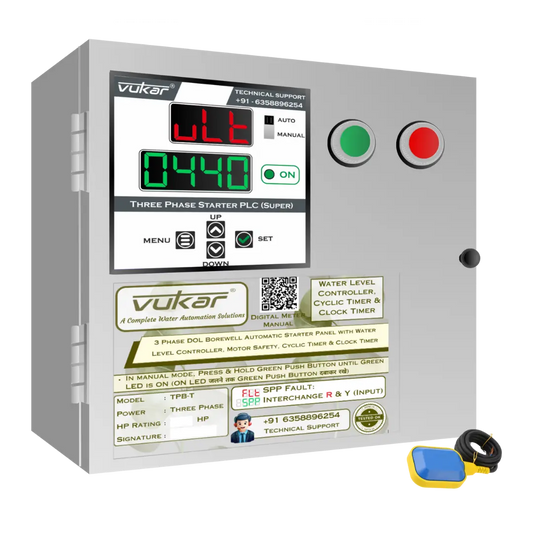
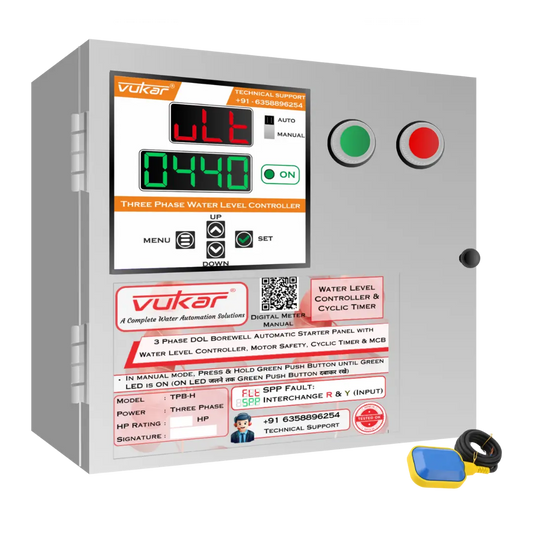
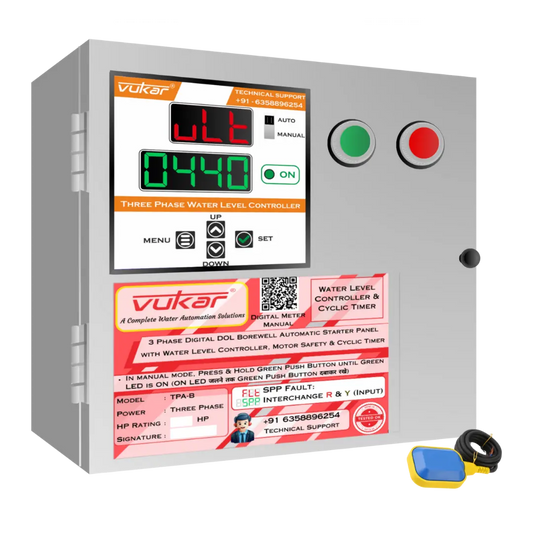
VUKAR lists total daily runtime control for the DEV-P2 on the three-phase auto switch comparison. The single-phase comparison lists it for DEV-K3 and DEV-K4. It also distinguishes that function from run-time counters offered across the single-phase DEV-K range. The device must suit the supply, motor rating and starter. Checking the label saves time when a panel has been repaired and the controller inside has a different revision from the one shown on the invoice.
The feature description establishes that a daily control exists for those models. Take the precise setting name, units and available bounds from the instructions for the supplied revision. Ask the installer to confirm which automatic and manual modes accumulate time, whether a failed start uses any allowance, and when the count renews. Do the same for a power interruption. Schedule recovery, clock retention and preservation of time already used are separate observations.
Write down how the operator sees the cap condition. A written display label helps distinguish a timed stop from a dry-run event, overload or low supply voltage. Leave electrical testing and configuration to a qualified installer. The operator can observe motor state and the front display from the normal working position with the enclosure closed. Preserve the existing protections when adding timed control.

Pick the allowance from an ordinary day
Start with operating records. A tank that takes 26 to 33 minutes to fill on most visits may take longer when another outlet is open. Gather run durations at different times, the water task completed and any stop reason you can identify safely. Compare that history with the pump maker's limits and the water source's recovery. If the duration needed often exceeds the policy cap, discuss the expected water demand and flow with the installer before changing protection settings or repeatedly resetting the controller.
If the pump delivers roughly 30 litres per minute during an observed test, 90 minutes at this rate would give about 2,700 litres. Treat that number as planning arithmetic. At 24 litres per minute the same time yields about 2,160 litres. A site managing a fixed volume can ask about measuring flow or storage level directly. If the purpose is electricity cost, use measured electrical consumption and the tariff. The pump electricity cost calculator explains how run time feeds that calculation.
Make a simple log with the date, start time, stop time, duration and reason for stopping. Keep a total on the same sheet. Add a separate line if the pump unexpectedly starts after an outage or before the first intended run. This helps a technician reproduce the issue without assuming the controller's schedule or cap is faulty.
Leave a test record for the next operator
Plan a supervised trial with the installer using a short test allowance only if the pump and receiving system can operate safely that way. Run one short and one longer permitted event. Check the total, the response when the allowance is reached and the outcome of a later request. If the customer expects manual running to count, show it separately. Restore the approved operating settings and read the saved values back after testing.
Agree on the exact renewal rule. If the product uses a local calendar day, record its clock and the observed transition. A site that operates over midnight may use a different definition of the working day from the controller. Record how the installation handles an active run at the boundary or a restored supply after an outage. Have the installer show how to identify a genuine protective stop without changing thresholds or cycling power repeatedly.
Keep one sheet by the panel with the approved daily cap, operating hours, modes that count, reset condition and the person to call about changes. Ask the installer to demonstrate the later request after the allowance is exhausted. That last observation tells the next operator what to expect when the pump has already used its time.