
Why a Pump May Stay Off With Its MCB On
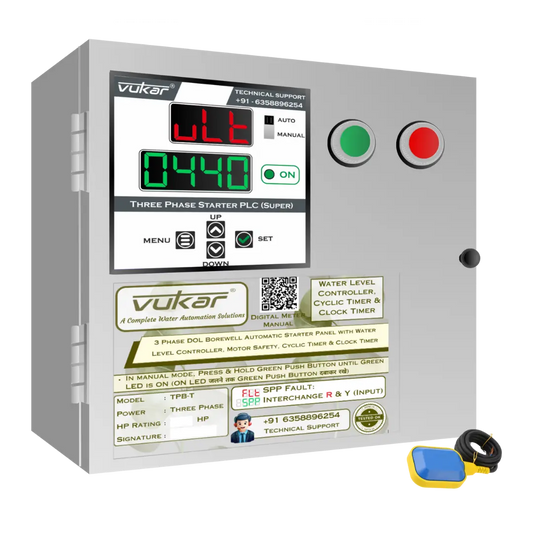
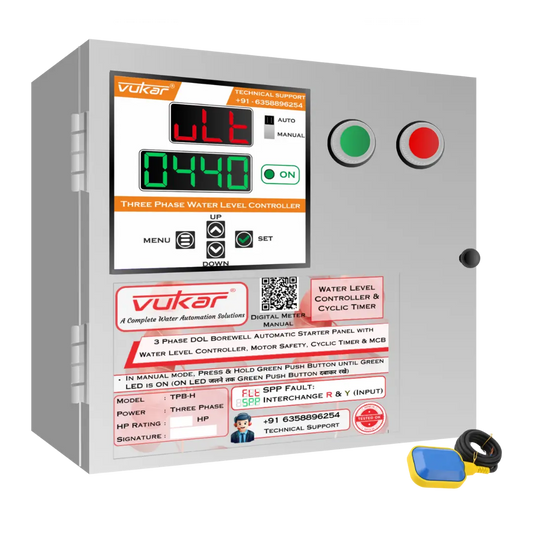
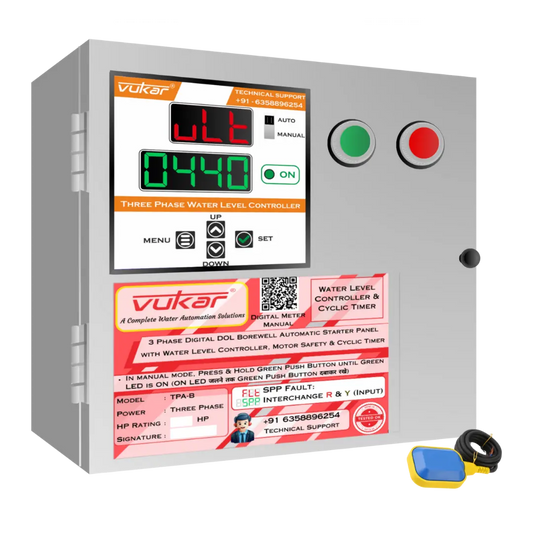
VUKARIf your pump panel MCB is on but the motor is not starting, separate the electrical supply from the start command. A lit starter display does not prove that power has reached the motor. A pump needs both a usable electrical supply and a valid start command. A selector, timer, protection relay or contactor can stop the command while the breaker remains on.
For a pump panel MCB on, motor not starting complaint, begin with observations through the closed panel. Record the display, operating mode and time. Do not bridge a relay, force a contactor or repeatedly press START. A quiet pump can be waiting correctly, or it can have a fault that needs a qualified electrician.
What the MCB position tells you
An MCB protects its circuit against overcurrent within its design and installation limits. Its handle position is not a motor-running indicator. It cannot confirm every downstream connection, the contactor state, the motor winding condition or the availability of all three phases. A powered display likewise confirms only that the display has some supply.
Separate the supply path from the command path. The supply path carries motor current through the designed protective and switching equipment. The command path tells the switching equipment when operation is allowed. This distinction explains why replacing a breaker often changes nothing when a timer or protection function is intentionally withholding the command.
An electrician may find a supply problem as well as a command problem. For example, a display can remain visible while the motor circuit has a disconnected conductor. That is a possible investigation branch, not a diagnosis that an owner should confirm by opening the cabinet. Different panels power their electronics differently.

Read the closed panel first
Write down the exact model and every visible message before changing settings. Photograph the closed panel only if access is dry and safe. Include the selector position and whether the controller indicates a run request, a rest period or a protection alarm. Record whether the pump last stopped normally or stopped unexpectedly.
| Observation | Useful question for the service record |
|---|---|
| Selector shows OFF | Was operation intentionally disabled? |
| AUTO mode with a quiet motor | Is a permitted timer event active now? |
| A protection message is visible | What exact message appeared before any reset? |
| Run indication but no motor sound | Did the switching stage actually receive and deliver the command? |
These questions help the technician choose checks without guessing. A label such as “power on, no start” is too broad on its own. A better report is “AUTO selected, display lit, Tuesday 06:20, rest indication visible, no breaker movement.” Preserve the distinction between what you saw and what you suspect.
Record first: A reset can remove useful context. Save the visible message and the event time before asking for help. If the equipment smells hot, is wet, shows damage or makes an unusual electrical noise, keep away and arrange safe isolation by a qualified person.

Check whether a start is due
A timer can keep a healthy motor off because the current time falls outside its operating window. Compare the controller clock, ON time, OFF time and weekday permission with the intended irrigation plan. Read the actual settings; do not infer them from yesterday's pump behaviour or from a handwritten schedule beside the panel.
For VUKAR DEV-K3, DEV-K4 and DEV-P2, use the DM-Universal-V1 timer/display instructions applicable to these models. An overnight schedule such as 23:00 ON to 01:00 OFF is supported, but weekday selection overrides the schedule. A window crossing midnight therefore needs review of the relevant day permissions as well as the two clock times.
Changing an ON time, OFF time or weekday while the pump is running applies the new setting immediately. Treat an edit as an operating change, not as a note for tomorrow. Arrange a safe time to make it, tell the responsible operator, and recheck the displayed settings afterwards. Do not experiment while someone is servicing the pump.
Coincident or overlapping events need particular care. The user must plan the times to avoid conflicting commands. There is no verified firmware-priority rule here that allows us to say an ON or OFF command always wins. If two events meet at the same minute, revise the plan into clear, non-overlapping windows instead of assuming an undocumented result.
Separate waiting from protection
A cyclic timer can be in a rest period even though mains power is available. Protection can also withhold operation for an active condition. Read the exact model manual to distinguish the two. Waiting for an intended rest interval is different from repeatedly resetting an unresolved protection alarm, even when both leave the motor silent.
After a power cut, the controller's memory setting matters. For the confirmed DM-Universal-V1 behaviour, mem Yes resumes the remaining run or rest time; mem No starts the timing again. Record the setting and outage time before deciding that the panel has missed an event. Do not generalize this behaviour to another controller.
The run-time counter is in minutes, and the fault counter records faults. These counters remain stored in memory. They help build a service history, but neither counter proves that the motor received correct voltage during a particular failed start. Compare the readings with the observed event rather than interpreting them alone.

When the command seems present
If the controller requests operation but the motor stays silent, the electrician checks the installed command and supply paths against the exact schematic. A relay indication does not establish that a contactor has closed correctly. Nor does a click prove that all motor conductors are sound. Inspection and appropriate measurements are needed to locate the interruption.
VUKAR's confirmed auto-switch output is a potential-free C-NO contact, with the stated switching figures of 10 A and 440 V. Potential-free means the contact does not itself supply a motor voltage. Those figures are not permission to connect any 10 A motor directly: the actual load category, circuit design and manufacturer's wiring instructions still govern the application.
For these DEV-K applications, trq controls the start-capacitor switching time in single-phase use and START-button holding time in three-phase use. It is not a universal repair setting for a quiet motor. A technician should first identify the connected motor and starting circuit, then compare the setting with the applicable instructions.
What the electrician verifies
The investigation starts with safe isolation where required, prevention of unexpected automatic restart and the correct circuit documentation. Depending on the symptom, the electrician verifies supply availability, conductor continuity, protection state, control voltage and switching operation. Work inside a starter involves electrical hazards even when the pump is not moving.
If a single-phase motor hums rather than remaining silent, record that distinction and stop repeated attempts. The motor's specified capacitor circuit and freedom of movement may need assessment. A three-phase motor needs a different investigation, including the actual phase supply. A generic internet capacitor diagram cannot replace the correct manufacturer's schematic.
Do not increase an MCB rating to make the motor start. Breaker selection must fit the circuit, cable and starting requirements together. A breaker that stays on is not evidence that it is undersized, and a protection bypass may allow an unsafe condition to continue. Ask the electrician to document the cause and corrective work.

A practical handover example
Consider a farmer who expects a pump to run before sunrise. The panel is in AUTO, the MCB is on and the display is lit, but the pump remains off. The owner records the actual clock, weekday and rest indication without opening the panel. The technician then compares those observations with the saved operating plan.
If the clock and permissions explain the stop, the correction is an agreed schedule change followed by verification. If an active alarm explains it, the underlying condition needs investigation. If the controller is requesting a run but the switching stage does not respond, the technician follows that branch. These are separate outcomes, not interchangeable reasons to replace the controller.
Keep a short completion record: identified cause, changed setting or repaired component, final mode, next permitted start and the person responsible for checking it. A family member taking over irrigation should receive the same record, especially when overnight permission or a rest period explains the stop. This prevents an understood waiting condition from turning into another unnecessary reset the next morning.
Use the MCB and RCCB diagnosis wizard to organize observations, and the product manual page for model instructions. Resume normal operation only after the responsible technician has confirmed the installation is ready.
Sources: VUKAR product manuals and DM-Universal-V1; manufacturer clarifications supplied for DEV-K3, DEV-K4 and DEV-P2. Schneider Electric: maintained and pulse control. Schneider Electric Electrical Installation Guide: circuit-breaker selection.