
DEV-N Video Gallery
Watch product videos and an installation example. Find specifications, current pricing and buying options on the DEV-N product page.
Review the DEV-N gallery from Vukar Automation in Rajkot. Ask for DEV-N model details when planning your order.
View DEV-N product →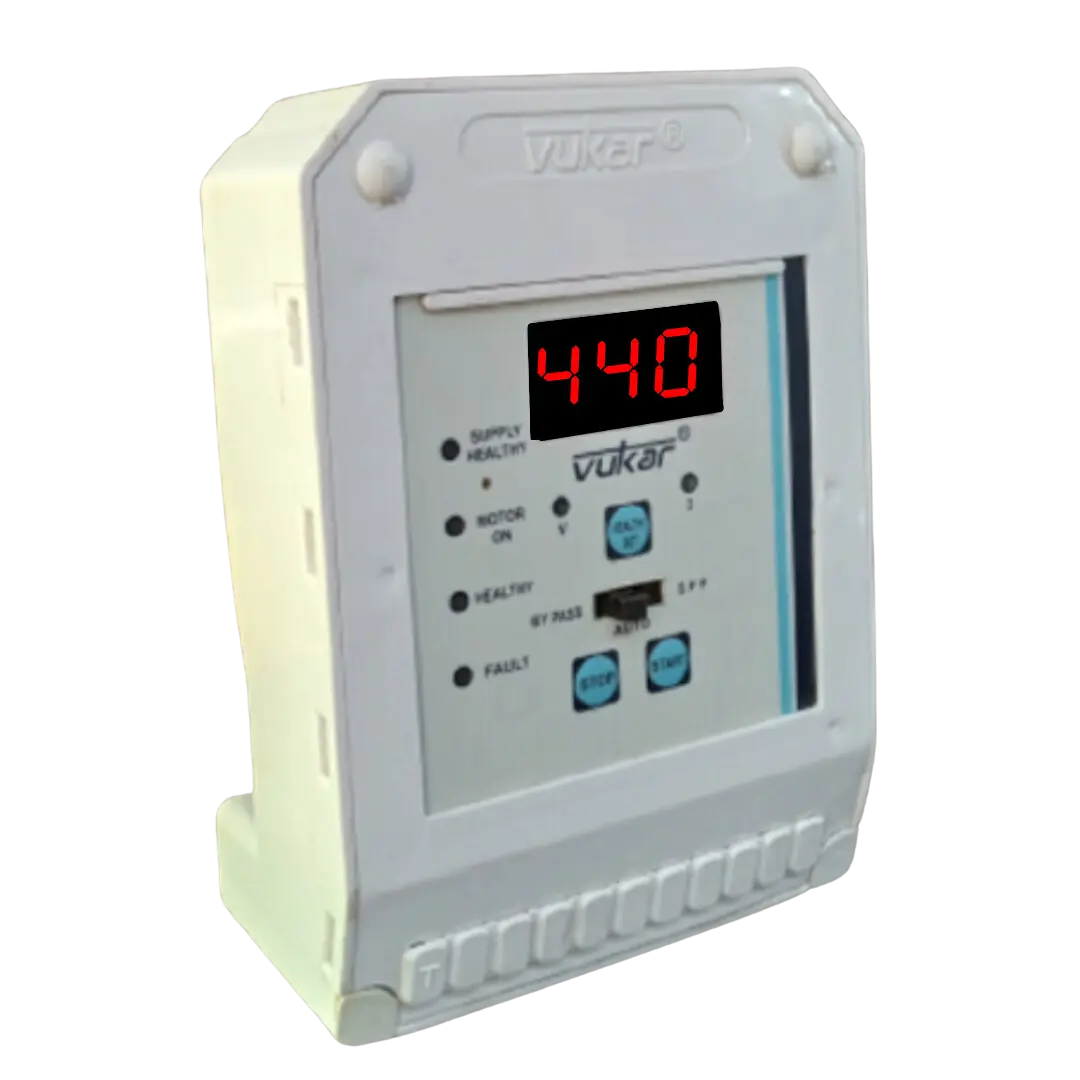
Watch the videos
4 videosFor installation, follow the supplied product wiring guide. Have a qualified electrician check your starter and control-circuit compatibility.
Specifications and buying options
See the DEV-N product page for specifications, current price and buying options.
View DEV-N product →Before choosing DEV-N
Use these videos to explore automatic switching for an existing three-phase pump starter. DEV-N connects to a compatible contactor or push-button starter control circuit. Have a qualified electrician confirm the fit before ordering.
Questions before choosing
Which pump installations are a good fit for DEV-N?
DEV-N adds automatic switching, cyclic timing and motor protection to compatible three-phase borewell, openwell or monoblock starter circuits in its listed 2–100 HP range. It is a useful choice when you want these control functions on a suitable existing starter. Start with the motor nameplate and existing contactor or push-button control arrangement, then check the product and wiring details.
How does DEV-N work with an existing starter panel?
DEV-N connects to a compatible three-phase contactor or Green ON/Red OFF push-button starter control circuit. The existing starter handles the motor power circuit while DEV-N supplies its documented control functions. Have an electrician confirm the pairing; choose an assembled DOL panel if that is the equipment your site needs.
What details help match DEV-N to my motor and contactor?
Match the three-phase supply, motor HP and current, contactor coil/control voltage and R-Y-B phase sequence. These details give the installer a clear basis for the control connections and protection settings. Keep the motor and starter information available when reviewing the supplied DEV-N diagram.
How does DEV-N help when the power supply returns?
DEV-N supports automatic motor start after healthy three-phase power returns. This provides automatic power-return operation within the configured conditions. Agree the intended operating mode during setup, and isolate the installation before maintenance because automatic starting is part of the function.
When is DEV-N’s Cyclic Timer useful?
Its Cyclic Timer repeats configured ON and OFF periods for a run/rest pumping pattern. DEV-N suits this time-based control requirement; choose a dedicated level controller when the pump should follow tank demand. Use the timer guide to select the pattern and intervals for your source and motor.
How can the DEV-N recharge delay be used for a borewell?
DEV-N provides a borewell recharge delay after a dry-run stop. The configured wait gives the source a planned interval before another start attempt. Choose it for the actual source conditions and review water availability if dry-run stops recur.
How does the DEV-N display help with everyday checks?
DEV-N displays voltage, current, timer and fault information. Those readings help you describe the operating state clearly when discussing a pump stop or a setting. Record the model, displayed values and what the pump was doing, then use the fault guide for the relevant checks.
What is the documented DEV-N reset for FOL or FDR?
The fault guide describes holding DEV-N’s SET button for about two seconds until RST appears, then releasing it. This gives you a model-specific procedure after the fault cause has been assessed. Follow the DEV-N instructions and arrange diagnosis if the same fault returns.
How does DEV-N support three-phase motor protection?
DEV-N checks phase availability and R-Y-B sequence alongside its voltage and current-related protection. The resulting indication helps identify the supply or phase arrangement that needs attention. Use the fault guide and an electrician’s checks to restore suitable operating conditions.
What should I prepare when asking about DEV-N selection or setup?
Prepare the motor nameplate, supply phase, starter type and contactor/control-voltage details. These let the existing control arrangement be checked against the DEV-N connection guide. Share the model and any displayed fault as well, so the selection or setup discussion starts with the actual equipment.