VUKAR Motor Starter Fault Codes: FOL, FDR, HIU, LOU અને SPP
Mohit VekariaVUKAR Motor Starter Fault Codes: FOL, FDR, HIU, LOU અને SPPનો અર્થ અને Reset Guide
VUKAR motor starter અથવા controller FOL, FDR, HIU, LOU કે SPP બતાવે ત્યારે code controllerએ detect કરેલી protection state ઓળખાવે છે. માત્ર codeથી અંદરની mechanical, electrical, water-supply કે installation problem confirm થતી નથી. Safe diagnosisની શરૂઆત તરીકે code વાપરો—ચોક્કસ root causeના પુરાવા તરીકે નહીં.
કયા products માટે લાગુ છે: FOL, FDR, HIU અને LOU બધા VUKAR products માટે લાગુ છે. SPP ફક્ત three-phase-powered devices, panels અને meters માટે લાગુ છે, single-phase-powered products માટે નહીં. DEV-N સિવાય બધા productsની manual reset procedure સમાન છે. HIU, LOU અને SPPનું manual reset થઈ શકતું નથી. તમારા exact model અને settings માટે VUKAR Product Manual જુઓ અથવા VUKAR supportનો સંપર્ક કરો.
VUKAR after-sales technical support: +91 63588 96254 — installation help, fault diagnosis, settings અને warranty માટે આ number પર call કરો. તમારો exact model number, supply type, motor HP અને દેખાતો code તૈયાર રાખો.
કોઈપણ permitted reset પછી ફક્ત એક controlled restart કરો. એ જ fault પાછો આવે તો equipment બંધ કરો અને diagnosis escalate કરો.
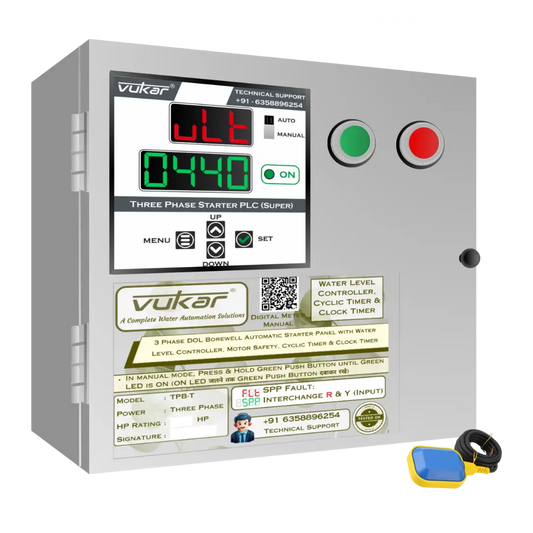
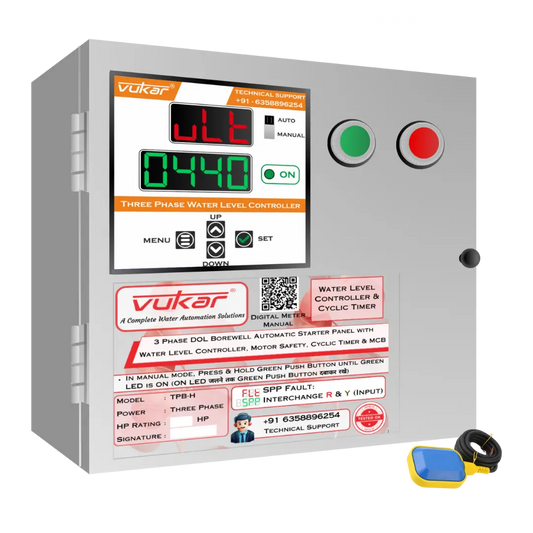
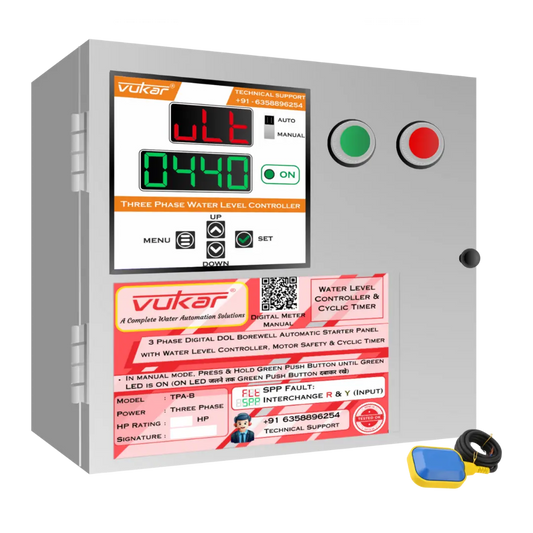
VUKAR manualના fault display examples
આ DM-Universal-V1 manualના illustrations છે, installed deviceના faultના photos નથી. આ modelમાં ઉપર FLT અને નીચે fault identifier દેખાય છે; બીજા VUKAR modelsનું display layout અલગ હોઈ શકે છે. તમારા exact modelનું manual જુઓ. SPP માત્ર three-phase-powered devices, panels અને meters માટે છે.


Quick fault-code reference table
| Code | Verified meaning | સંભવિત condition—confirmed diagnosis નહીં | Verified reset behaviour |
|---|---|---|---|
| FOL | Overload | Motor current configured trip delay સુધી configured overload thresholdથી ઉપર રહ્યો | DEV-N સિવાયના products: MENUને 2 seconds દબાવી રાખો. DEV-N: SETને 2 seconds દબાવી રાખો, display પર RST દેખાય ત્યાં સુધી; RST દેખાય ત્યારે SET છોડી દો. DEV-N સિવાયના productsમાં power-cycleથી FOL reset ફક્ત OLM disabled હોય ત્યારે ઉપલબ્ધ છે. Power cyclingને દરેક સ્થિતિ માટેનો FOL reset ન માનો. Power ફરી આપતાં પહેલાં area ખાલી રાખો. |
| FDR | Dry Run | Running current લાગુ delay સુધી configured dry-run thresholdથી નીચે રહ્યો | DEV-N સિવાયના products: MENUને 2 seconds દબાવી રાખો. DEV-N: SETને 2 seconds દબાવી રાખો, display પર RST દેખાય ત્યાં સુધી; RST દેખાય ત્યારે SET છોડી દો. DEV-N સિવાયના productsમાં FDR માટે બીજા વિકલ્પો power cycling અથવા Cyclic Timer અને RST enabled હોય ત્યારે configured RST timer પૂરો થવા દેવાના છે. Common instructions પરથી DEV-N માટે આ વિકલ્પો લાગુ હોવાનું અનુમાન ન કરો. |
| HIU | Overvoltage | Input voltage active configured high-voltage limitથી ઉપર છે | Voltage configured LOU–HIU rangeમાં પાછું આવે ત્યારે fault આપમેળે clear થાય છે. Manual reset supported નથી. |
| LOU | Undervoltage | Input voltage active configured low-voltage limitથી નીચે છે | Voltage configured LOU–HIU rangeમાં પાછું આવે ત્યારે fault આપમેળે clear થાય છે. Manual reset supported નથી. |
| SPP | Three-phase protection | Three-phase sequence અથવા phase-unbalance conditionનું diagnosis જરૂરી છે | Three-phase sequence યોગ્ય હોય અને phase unbalance માન્ય rangeમાં હોય ત્યારે આપમેળે clear થાય છે. બંને conditions જરૂરી છે. Manual reset થઈ શકતું નથી. |
કોઈપણ VUKAR fault reset કરતા પહેલાં
Reset detect થયેલી protection state clear કરે છે; તેનાથી કારણ દૂર થયું છે એવું સાબિત થતું નથી. વારંવાર reset કરવાથી motor, pump, cable, supply અથવા starter પર વધુ stress આવી શકે છે. HIU, LOU અને SPP આપમેળે clear થઈ શકે છે, અને કેટલીક FDR તથા FOL configurations આપમેળે restart પણ થઈ શકે છે. Automatic recovery શક્ય હોય ત્યારે લોકો, tools અને છૂટી વસ્તુઓને moving equipmentથી દૂર રાખો.
User-level reset પહેલાં:
- દેખાતો code વાંચો અને નોંધી લો.
- Inspection માટે panel ખોલવું, conductors સ્પર્શવા અથવા moving machinery પાસે જવું પડે તો supply isolate કરો.
- ફક્ત safe external conditions check કરો, જેમ કે water source ઉપલબ્ધ છે કે નહીં, દેખાતી ventilation blocked છે કે supply unstable લાગે છે.
- Exact controller model અને તેના manualમાં permitted reset method confirm કરો.
- કારણ assess થયા પછી જ એક controlled restart કરો.
તમે સાચી isolation અને verification procedure વાપરતા qualified technician ન હો તો panel ન ખોલો, phase conductors ન બદલો, protection parameters ન બદલો, trip bypass ન કરો અને live terminals test ન કરો.
FOL: Overload
FOLનો અર્થ Overload છે. લાગુ VUKAR controllersમાં motor current configured trip delay સુધી configured overload thresholdથી ઉપર રહે ત્યારે આ state જોડાય છે. આ controllerનું trigger logic સમજાવે છે; એક ચોક્કસ કારણ ઓળખતું નથી.
સંભવિત કારણોમાં વધુ mechanical load, jammed pump, supply problems, ખોટી settings, damaged cabling, motor trouble અથવા installation issue હોઈ શકે છે. આ diagnostic possibilities છે, conclusions નહીં. કોઈ setting બદલતા પહેલાં technicianએ displayed current, configured threshold, motor nameplate, wiring અને actual loadની સરખામણી કરવી જોઈએ.
DEV-N સિવાયના products: MENUને 2 seconds દબાવી રાખો. DEV-N: SETને 2 seconds દબાવી રાખો, display પર RST દેખાય ત્યાં સુધી; RST દેખાય ત્યારે SET છોડી દો. DEV-N સિવાયના productsમાં power-cycleથી FOL reset ફક્ત OLM disabled હોય ત્યારે ઉપલબ્ધ છે. Power cyclingને દરેક સ્થિતિ માટેનો FOL reset ન માનો. Power ફરી આપતાં પહેલાં area ખાલી રાખો.
એક controlled restart પછી FOL પાછો આવે તો રોકો. વારંવાર overload operation equipmentને damage કરી શકે છે અને underlying current અથવા load conditionનું diagnosis જરૂરી છે.
FDR: Dry Run
FDRનો અર્થ Dry Run છે. લાગુ unitsમાં running current લાગુ delay સુધી configured dry-run thresholdથી નીચે રહે ત્યારે તે જોડાય છે. Low current પાણીની ખોટ અથવા ઓછા pump load સાથે મેળ ખાઈ શકે છે, પણ માત્ર codeથી borewell, tank, suction line, sensor, pump અથવા pipe dry કે defective છે એવું સાબિત થતું નથી.
પહેલા safe external water-supply conditions check કરો. પછી qualified technician exact manual પ્રમાણે current reading, dry-run threshold, delay, motor load, pump condition અને installation verify કરી શકે છે.
DEV-N સિવાયના productsમાં FDR માટે નીચેના clearing paths લાગુ છે. DEV-N માટે ઉપર જણાવેલી SET → RST manual procedure વાપરો:
- DEV-N સિવાયના productsમાં FOL/FDR manual reset માટે MENUને 2 seconds દબાવી રાખો. DEV-Nમાં SETને 2 seconds દબાવી રાખો, RST દેખાય ત્યારે SET છોડી દો.
- લાગુ controllerને power cycle કરો.
- Cyclic Timer અને RST enabled હોય ત્યારે configured RST timer પૂરો થવા દો.
Timer pathનો અર્થ equipment બીજા manual command વિના restart થઈ શકે છે. Waiting periodમાં pump અને connected machineryને safe stateમાં રાખો. એક controlled restart પછી FDR પાછો આવે તો code વારંવાર clear કરવાને બદલે water supply, pump load, wiring અને settingsનું diagnosis કરો.
HIU અને LOU: Voltage faults
HIUનો અર્થ Overvoltage: input voltage active configured high-voltage limitથી ઉપર છે. LOUનો અર્થ Undervoltage: input voltage active configured low-voltage limitથી નીચે છે. Configured limits controller setupનો ભાગ છે અને માત્ર fault દબાવવા માટે બદલવી નહીં.
Voltage માન્ય operating rangeમાં પાછું આવે ત્યારે HIU અને LOU આપમેળે clear થાય છે. DEV-N સહિત કોઈપણ productમાં આ faultsનું manual reset થઈ શકતું નથી. Fault આપમેળે clear થાય એટલે મૂળ supply problem કાયમ માટે ઠીક થઈ ગઈ એવું નથી; recovery દરમિયાન equipmentની આસપાસનો area સુરક્ષિત રાખો.
Supply diagnosisના બદલે વારંવાર power cycling ન કરો. HIU અથવા LOU ચાલુ રહે તો qualified technicianએ incoming voltage, લાગુ phase conditions, connections, conductor sizing, supply stability અને exact configured limitsને model manual સામે check કરવું જોઈએ. Live supplies અથવા panelની અંદર કામ માટે યોગ્ય qualification, isolation અને test equipment જરૂરી છે.
SPP: Three-phase protection
SPP એ phase-protection fault છે જે ફક્ત three-phase-powered devices, panels અને meters માટે લાગુ છે. Single-phase-powered products માટે તે લાગુ નથી. ફક્ત code પરથી મૂળ wiring અથવા supply problem ઓળખી શકાતી નથી.
Three-phase sequence યોગ્ય હોય અને phase unbalance માન્ય rangeમાં હોય ત્યારે SPP આપમેળે clear થાય છે. બંને conditions પૂરી થવી જરૂરી છે. SPPને MENU, SET અથવા DEV-Nની SET → RST procedureથી manually reset કરી શકાતું નથી. ત્રણેય phases હાજર હોય એટલાથી યોગ્ય sequence અને માન્ય unbalanceની ખાતરી થતી નથી. SPP ચાલુ રહે તો qualified electrician પાસે supply અને installation તપાસાવો; ફક્ત code જોઈને wires એકબીજા સાથે ન બદલો.
Panel ખોલતા અથવા કોઈ conductorને સ્પર્શતા પહેલાં supply isolate કરો અને તે dead છે એ verify કરો. આ qualified electricianનું કામ છે, DIY reset નહીં—electrician હાજર ન હોય તો આગળ વધતા પહેલાં VUKAR technical supportને +91 63588 96254 પર call કરો. Suitable equipment categories માટે જુઓ Three Phase Motor Protection Devices, પછી selected productનું manual અને support guidance confirm કરો.
Safe reset decision workflow
Listed કોઈપણ code માટે આ workflow વાપરો:
-
Code અને model ઓળખો.
- Exact code નોંધી લો.
- Controller label વાંચો અને model manual confirm કરો.
-
Recovery behaviour classify કરો.
- લાગુ modelsમાં FOL અને FDR માટે permitted manual clearing paths છે.
- Voltage rangeમાં પાછું આવે ત્યારે HIU અને LOU આપમેળે clear થાય છે.
- FOL/FDR: DEV-N સિવાય common manual reset વાપરો; DEV-Nમાં SET દબાવી રાખીને RST દેખાય ત્યારે છોડો. SPP: phase sequence અને phase unbalance બંને યોગ્ય હોય ત્યારે જ auto-clear. HIU, LOU અને SPPનું manual reset થઈ શકતું નથી.
-
Area safe બનાવો.
- લોકો અને toolsને pump, motor, coupling અને moving machineryથી દૂર રાખો.
- Panel અથવા conductor પર કામ કરતાં પહેલાં isolate કરો અને de-energization verify કરો.
-
ફક્ત તમારી competenceની અંદરની conditions check કરો.
- Users safe external conditions અને displayed information જોઈ શકે છે.
- Panelની અંદરનું કોઈપણ કામ—measurements, wiring, phase interchange, protection settings—કરતા પહેલાં supply isolated અને dead verify થવી જરૂરી છે.
- Exact model માટે ફક્ત verified reset path વાપરો.
- એક controlled restart કરો.
- Code પાછો આવે તો રોકો અને expert સુધી escalate કરો.
આ sequence resetને repair માનવાથી બચાવે છે અને automatic recoveryને સ્પષ્ટ safety consideration બનાવે છે.
Reset કરવું પૂરતું ન હોય ત્યારે
આ સ્થિતિઓમાં reset રોકો અને qualified diagnosis કરાવો:
- એક controlled restart પછી એ જ fault પાછો આવે.
- FOL સાથે abnormal noise, heat, smell, vibration અથવા stalled equipment હોય.
- Water source ઉપલબ્ધ દેખાતો હોવા છતાં FDR ફરી આવે.
- HIU અથવા LOU ચાલુ રહે કે supply visibly unstable હોય.
- Qualified electricianએ યોગ્ય phase sequence અને phase unbalance માન્ય rangeમાં હોવાનું confirm કર્યું હોય છતાં SPP ચાલુ રહે.
- Fuse, breaker, cable, contactor, terminal, motor અથવા pump પર visible damage હોય.
- Exact model, settings અથવા permitted reset method confirm ન થઈ શકે.
આમાંથી કોઈપણ સ્થિતિમાં code ફરી clear કરવાને બદલે VUKAR after-sales technical supportને +91 63588 96254 પર call કરો.
Motor ચાલુ રાખવા protection ક્યારેય bypass ન કરો, thresholds માત્ર આ માટે ઊંચી કે નીચી ન કરો, અને એક જ categoryમાં દેખાય એટલા માટે replacement product compatible છે એવું ન માનો. Product Selection ને selection aid તરીકે વાપરો, પછી application VUKAR supportથી confirm કરો.
FAQs
VUKAR starter પર FOLનો અર્થ શું છે?
FOLનો અર્થ Overload છે. લાગુ controller પર તે બતાવે છે કે current configured delay સુધી configured overload thresholdથી ઉપર ગયું. Current ઊંચું કેમ હતું તે confirm થતું નથી.
Power off અને on કરીને FOL reset કરી શકું?
DEV-N સિવાયના productsમાં power-cycleથી FOL reset ફક્ત OLM disabled હોય ત્યારે ઉપલબ્ધ છે. Manual button procedure માટે MENUને 2 seconds દબાવી રાખો. DEV-Nમાં SETને 2 seconds દબાવી રાખો, RST દેખાય ત્યારે SET છોડી દો. Common instructions પરથી DEV-Nમાં power-cycle reset લાગુ હોવાનું અનુમાન ન કરો.
FDRનો અર્થ શું છે?
FDRનો અર્થ Dry Run છે. Controllerએ લાગુ delay માટે configured dry-run thresholdથી નીચે current detect કર્યો. Water loss અથવા reduced pump loadને તપાસવાની possibilities માનો, codeથી સાબિત diagnosis નહીં.
HIU અને LOUને manual reset જોઈએ?
Voltage માન્ય operating rangeમાં પાછું આવે ત્યારે HIU અને LOU આપમેળે clear થાય છે. DEV-N સહિત કોઈપણ productમાં આ faultsનું manual reset થઈ શકતું નથી. Fault આપમેળે clear થાય એટલે મૂળ supply problem કાયમ માટે ઠીક થઈ ગઈ એવું નથી; recovery દરમિયાન equipmentની આસપાસનો area સુરક્ષિત રાખો.
SPP હું જાતે correct કરી શકું?
SPPનું manual reset થઈ શકતું નથી. Three-phase-powered devices, panels અને metersમાં phase sequence યોગ્ય હોય અને phase unbalance માન્ય rangeમાં હોય ત્યારે તે આપમેળે clear થાય છે. બંને conditions જરૂરી છે. Fault ચાલુ રહે તો qualified electrician પાસે diagnosis કરાવો. Wiringનું કામ supply isolate કરીને અને dead હોવાની ખાતરી કર્યા પછી જ કરવું.
VUKAR after-sales support માટે કોને call કરું?
VUKAR after-sales technical support number છે +91 63588 96254. Sales enquiries—product selection, pricing અને orders—માટે number છે +91 95121 72271.
તમારું exact model ઓળખો અને યોગ્ય support મેળવો
શરૂઆત VUKAR Product Manualથી કરો. Category-level browsing માટે Single Phase Motor Protection Devices અથવા Three Phase Motor Protection Devicesવાપરો. આ category links એવો દાવો નથી કરતા કે દરેક listed product દરેક code બતાવે છે.
Application help માટે Product Selection વાપરો અથવા VUKAR supportનો contact કરો. Installed panelના fault માટે after-sales technical supportને સીધા +91 63588 96254પર call કરો. Exact model, supply type, motor rating, displayed code, configured values અને trip પહેલાં શું થયું તે આપો. Confirmation વિના model compatibility assumptions publish ન કરો કે તેના પર action ન લો.